Tag Archives: games

Confession Time: I’m Useless With Names (So I Invented a Game That Reviews Vocab and Grammar Too)

Okay, I’ll confess: we’re in the first days of the new course and I, the teacher, cannot for the life of me remember half my students’ names. Does this happen to you too? That moment when you point at someone and go “hey… you, yes, you, the one in the blue hoodie” because the name has completely vanished from your brain. A classic September moment. Well, and in my case, February moment, too.

So I started turning it over in my head (because yes, I have that habit of mine of turning any everyday problem into a classroom activity, it’s a blessing and a curse in equal measure) and I came up with something that kills two birds with one stone: we learn names AND we review grammar and vocabulary. Yay! Because why settle for one thing when you can have both, right?

And guess how I’m going to run it? Exactly how I like it: mixing tech and old-school tradition. Not fully digital, not fully analogue, a bit of both. But hey!!! You don’t like tech. It can all be done in the traditional way.

VOCABULARY ACROSTIC DUEL

Objective: learning students’ names and revising grammar and vocabulary.

Setting it up

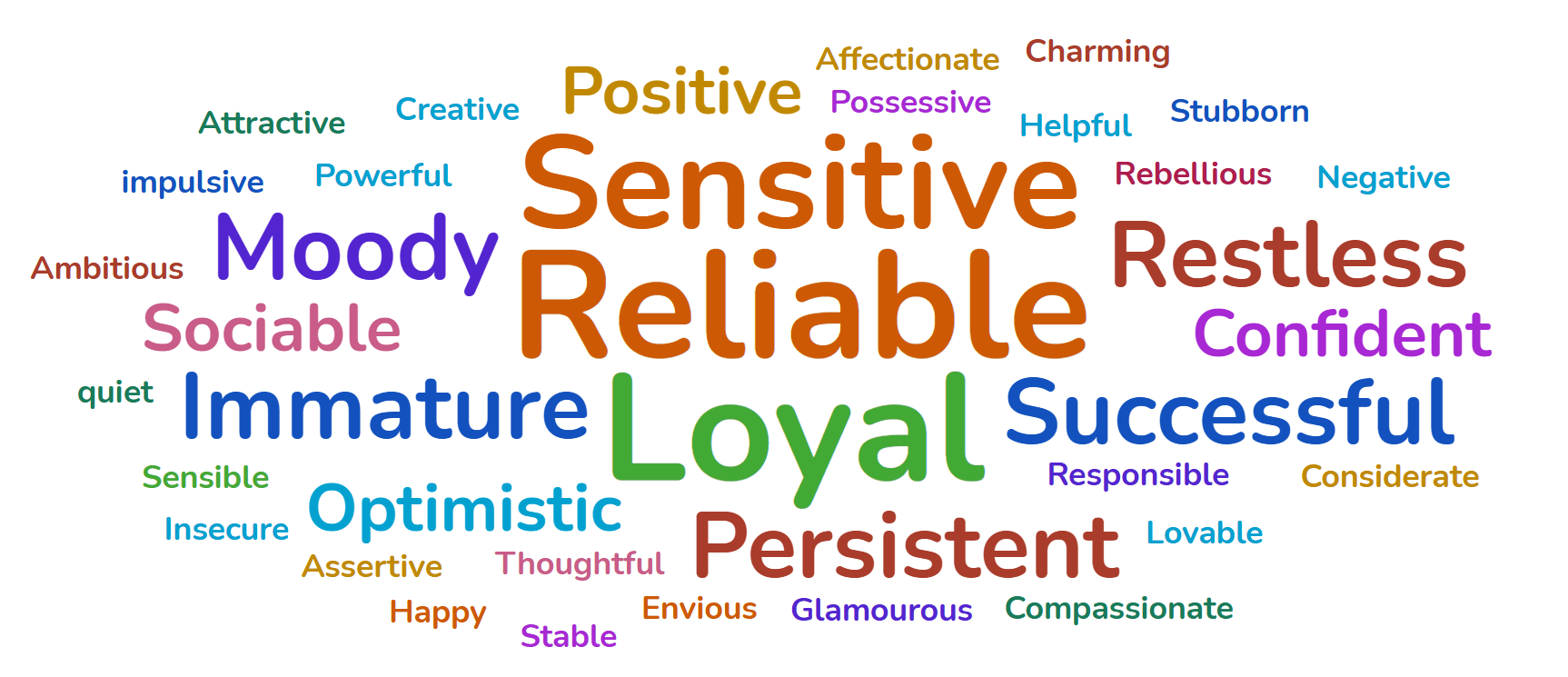
  • A WordCloud. Split the class into two teams and create two word clouds, one per team, with the names of their members. You can do this by hand on the board or you can bring in the tech like I do (because for this bit, I admit I’m a little lazy) and use Wooclap to generate the cloud on the spot. Well, two clouds, one per team,
  • A buzzer. Some noise? Yes! Each team needs a buzzer within reach. A real buzzer, one of those that goes “ding!” and gives the whole thing that game-show feel that hooks everyone instantly.
How to play

(click on the image)

  1. Pick a student’s name at random from either word cloud (it doesn’t matter which team they’re on).
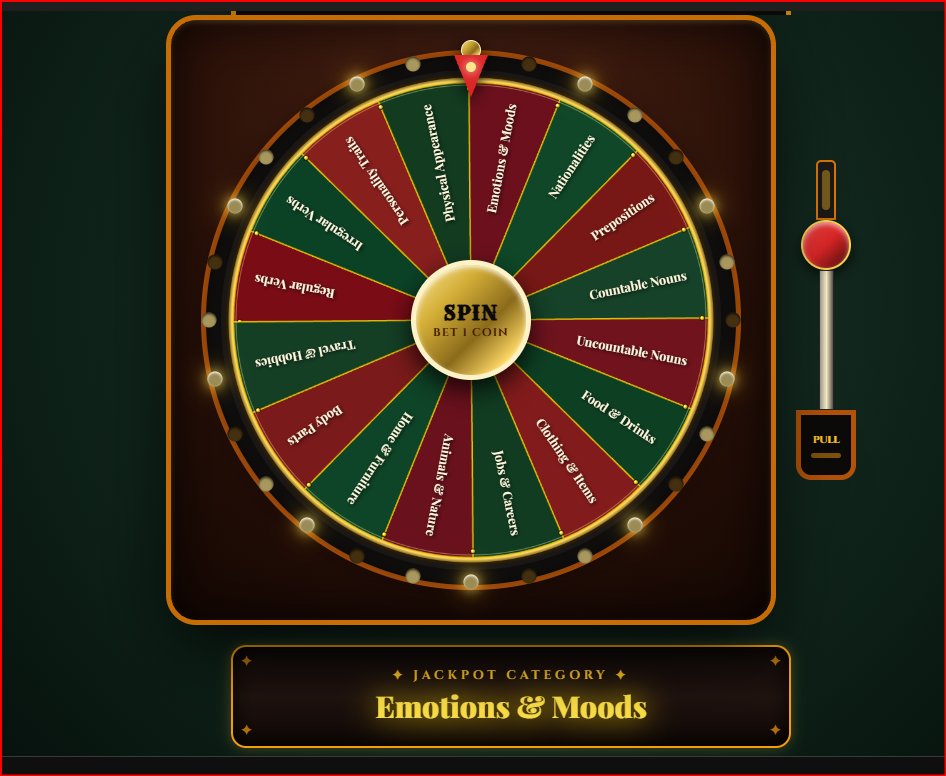
  2. Assign a challenge or if you use my wheel above, spin the wheel: for example, each letter has to be a past tense verb, or a descriptive adjective. You’ve got total freedom here to adapt it to whatever grammar point you’re working on.

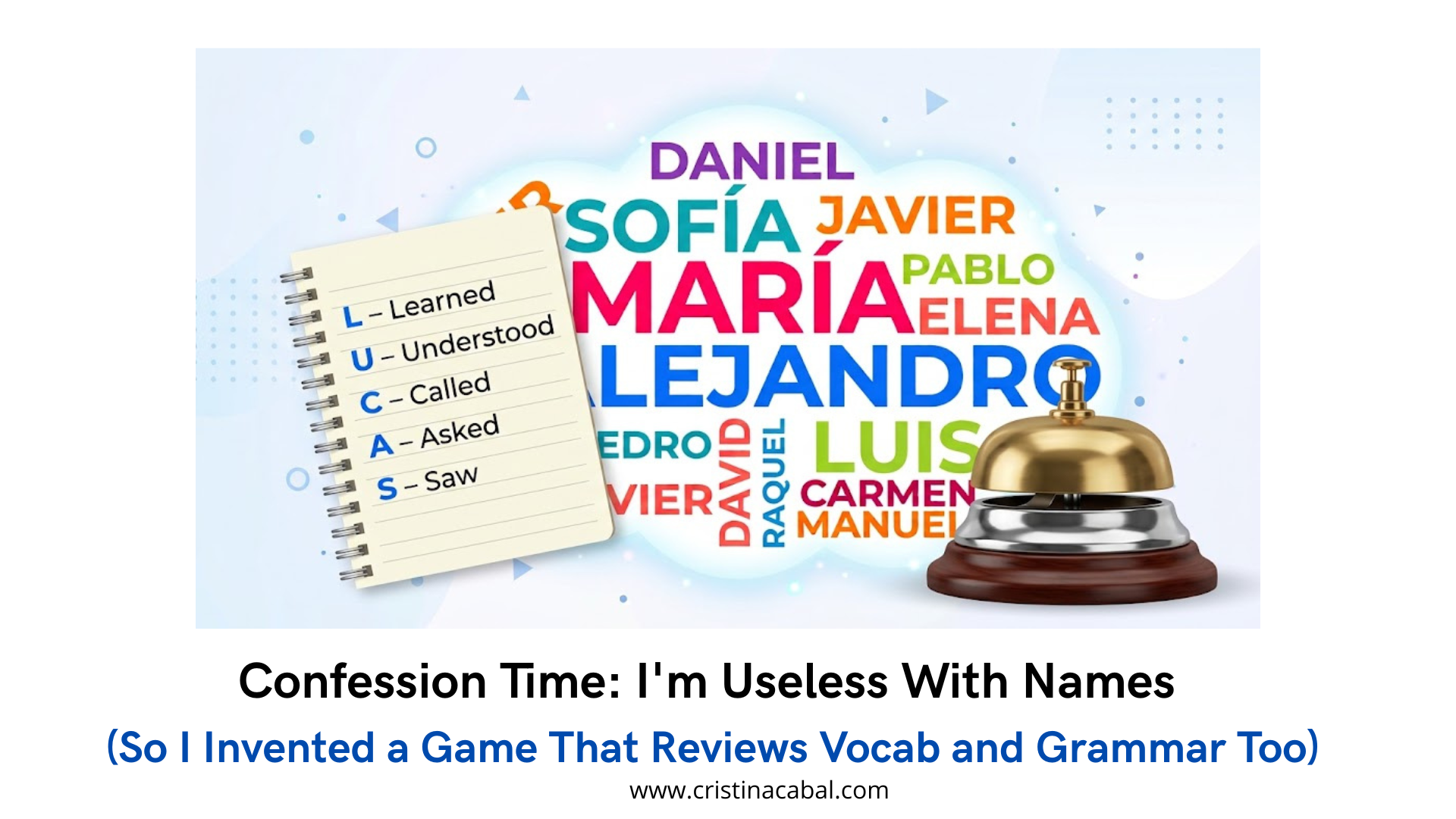
An example with the name LUCAS and past tense verbs

  • L – Learned
  • U – Understood
  • C – Called
  • A – Asked
  • S – Saw

3.  Within each team, students can work solo, in pairs, or in groups of three, whatever       they prefer.

4. As soon as someone finishes the acrostic, they hit the buzzer.Let’s say it is a student from Team A.  If it’s correct, their team wins the round and  crosses out a name from Team B’s  cloud,  and picks the next name plus the next grammar or lexical category.

NOTE: If the student from Team A makes a mistake, then the other team wins (Team B) wins and crosses out a name from Team A’s cloud

And so, round after round, and without even realizing it, they’re repeating names over and over while working on structure and vocabulary. By the end of the class, I promise even I’ll have picked up a few more names.

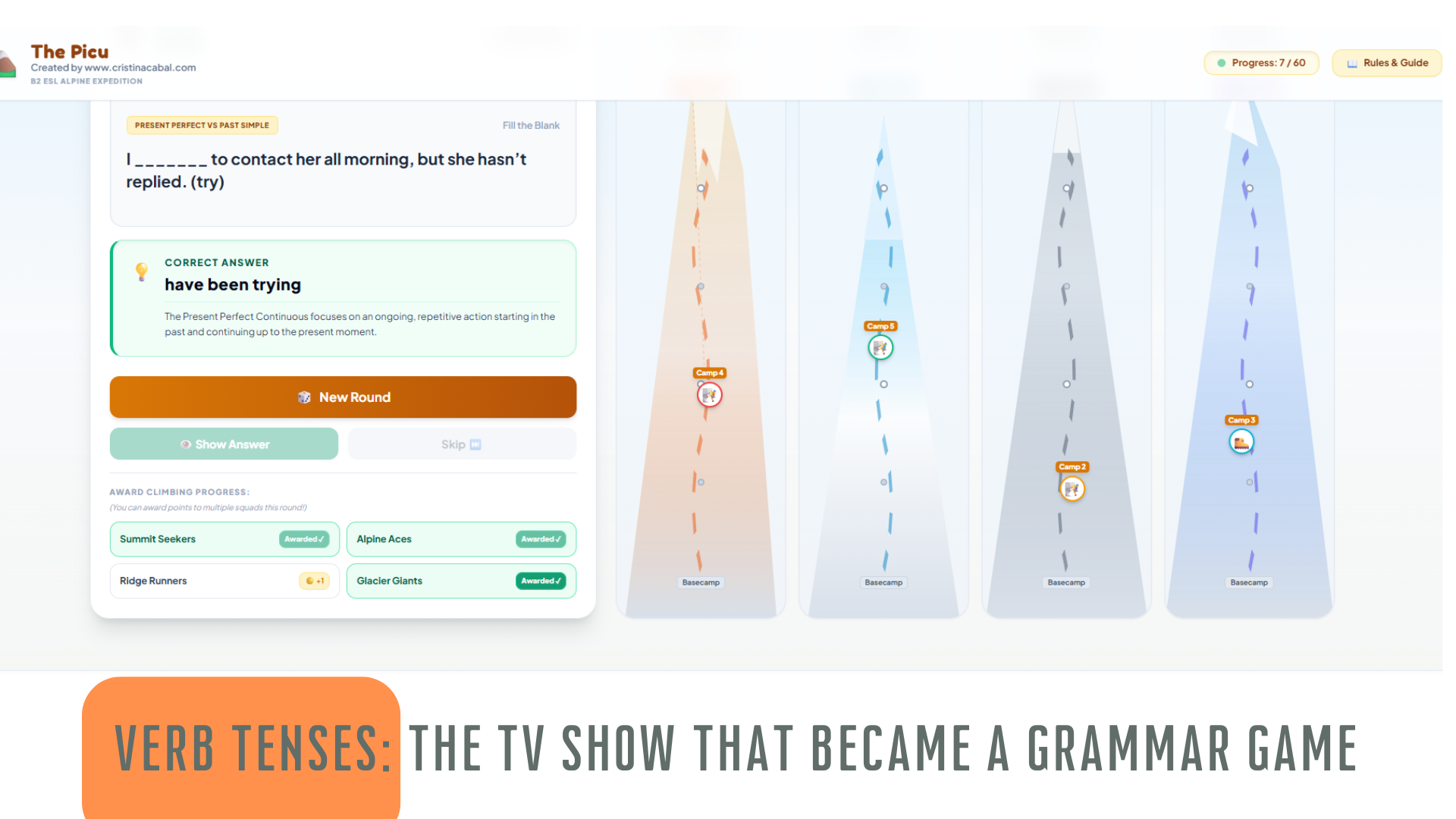
Verb Tenses: The TV Show That Became a Grammar Game

My brain doesn’t switch off. Ever. I’ll be watching TV and — boom — I’m already thinking, “How can I use this in class?” Is it a blessing or a curse? Honestly? Both. But mostly a blessing, because sometimes it leads to something really cool. Like this.

There’s a programme on Asturian TV called El Picu — and picu means “peak” or “mountaintop” in Asturian. The concept is simple: contestants answer questions, and with each correct answer, they climb a little higher up the mountain. First team to reach the summit wins.

I watched it and thought: my students would go absolutely mad for this. 

I have the idea, Gemini builds the app

 I have zero coding skills. But I do have Gemini, and  that’s all I needed.

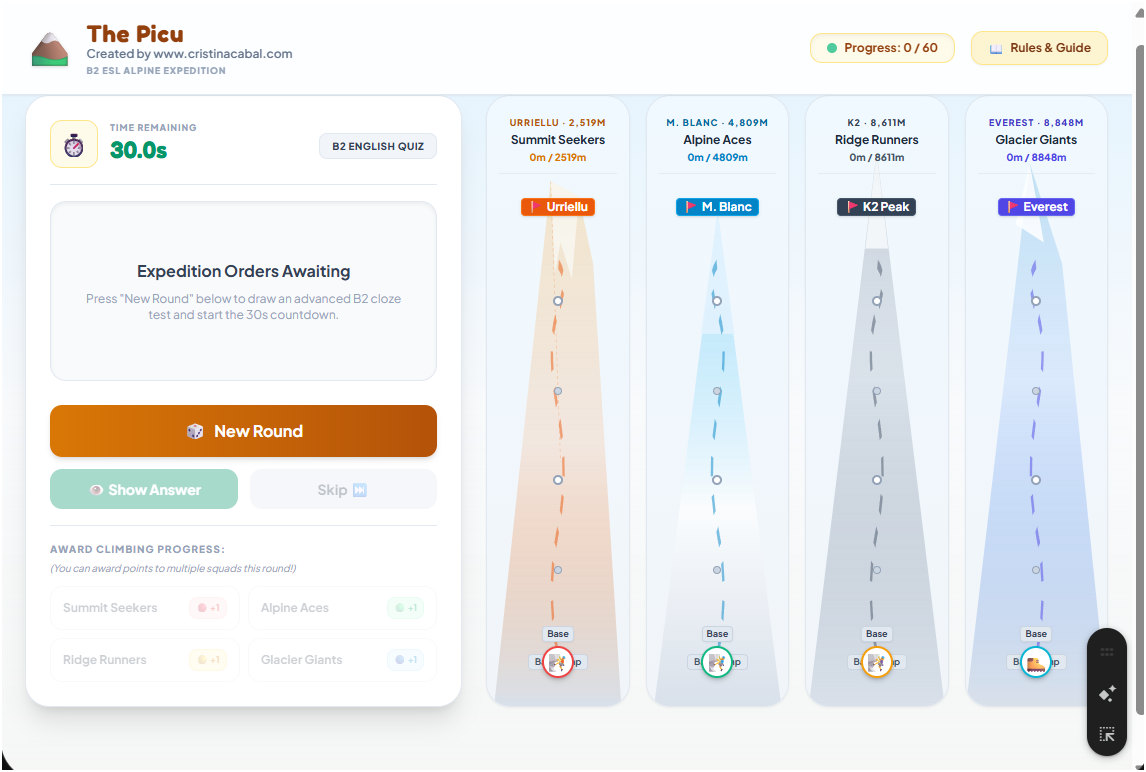
I won’t pretend it requires no preparation at all — you do need a bit of know-how about how to prompt it effectively — but the process itself is surprisingly straightforward. I described what I wanted, iterated a little, and before long I had a fully functional classroom game called The Picu: B2 ESL Alpine Expedition.

How to play

Here’s the game

I show the game  on the interactive whiteboard and the moment students see those mountain tracks, something shifts. Smiles appear. Someone always goes “Yuhuuu, we’re playing today!” — and yes, we are. But we’re also learning. That’s the whole point.

Here’s my low-tech twist on it:

  • I divide the class into 4 teams
  • Each group has paper and a pen
  • When the sentence appears, they discuss and write their answer. They have 30 seconds for this.
  • At my signal, everyone holds up their paper at the same time (no copying!)
  • Groups that got it right? Their climber moves up the mountain
  • First team to reach the Picu wins

What I particularly love is that multiple teams can be awarded points in the same round  And if a question is too hard? Just hit Skip and move on. No fuss.

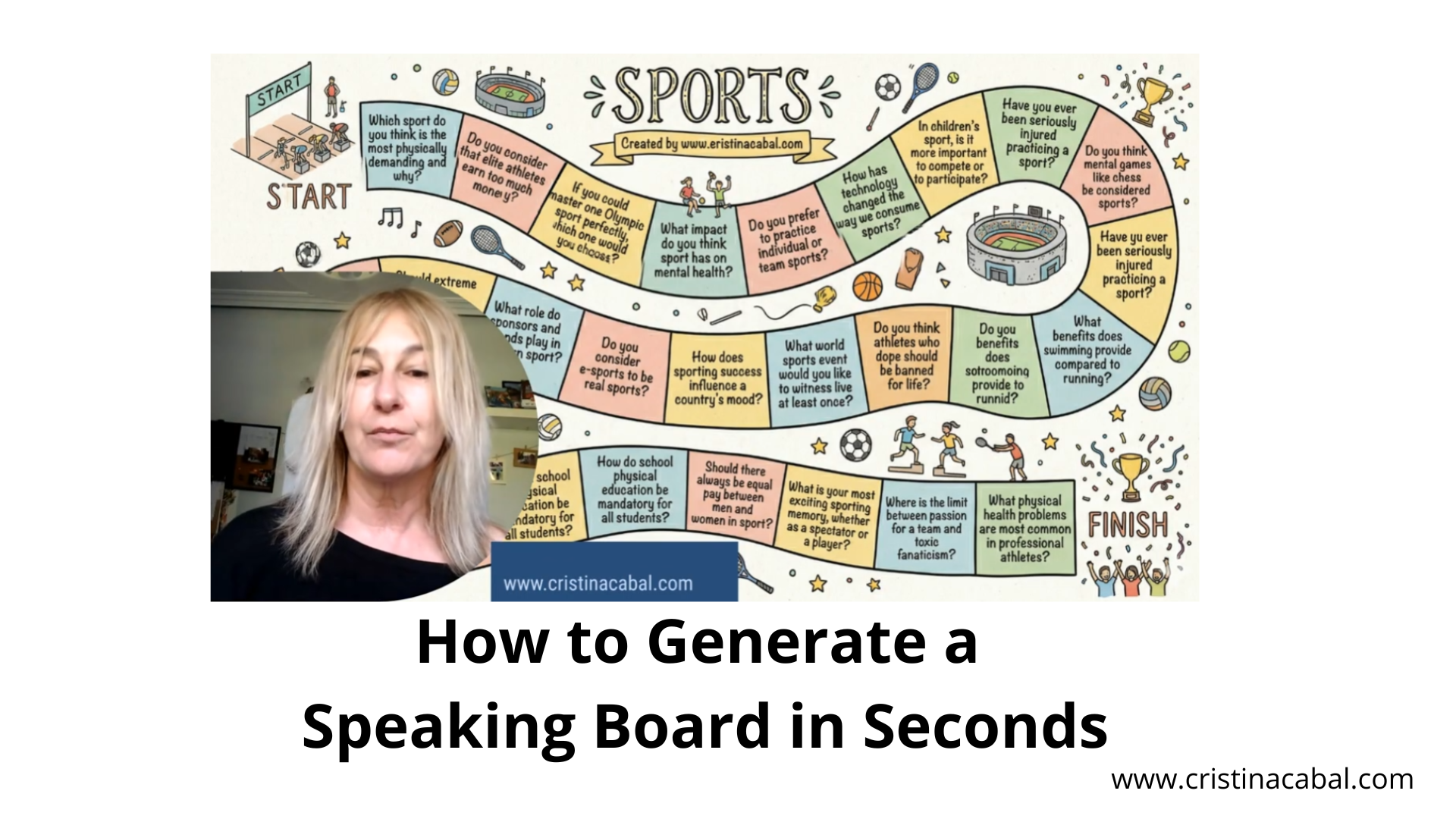
How to Generate a Speaking Board in Seconds.

Oh, I am so excited to share this with you!Today, I’m going to show you how to create a personalized, professional-looking board game in literally one step using Gemini’s Nano Banana 2. Easy and Free.

Click to See Explanatory Video on Youtube (in Spanish)

Step 1: Let Gemini Build the Content

Go to  Gemini- which is Google’s primary AI assistant- and register for free. Then, ask Gemini to generate the questions you are going to use. For my B2 students working on “Sport” vocabulary, I need short, punchy questions that will actually fit inside a game square.

Prompt Example: “Generate 20 short conversation questions (max 10 words) about sport for B2 English  adult students.”
IMPORTANT: To make sure everything remains readable, we need to keep our questions short and sweet so they fit perfectly inside those game squares

Step 2: Creating the Board Game

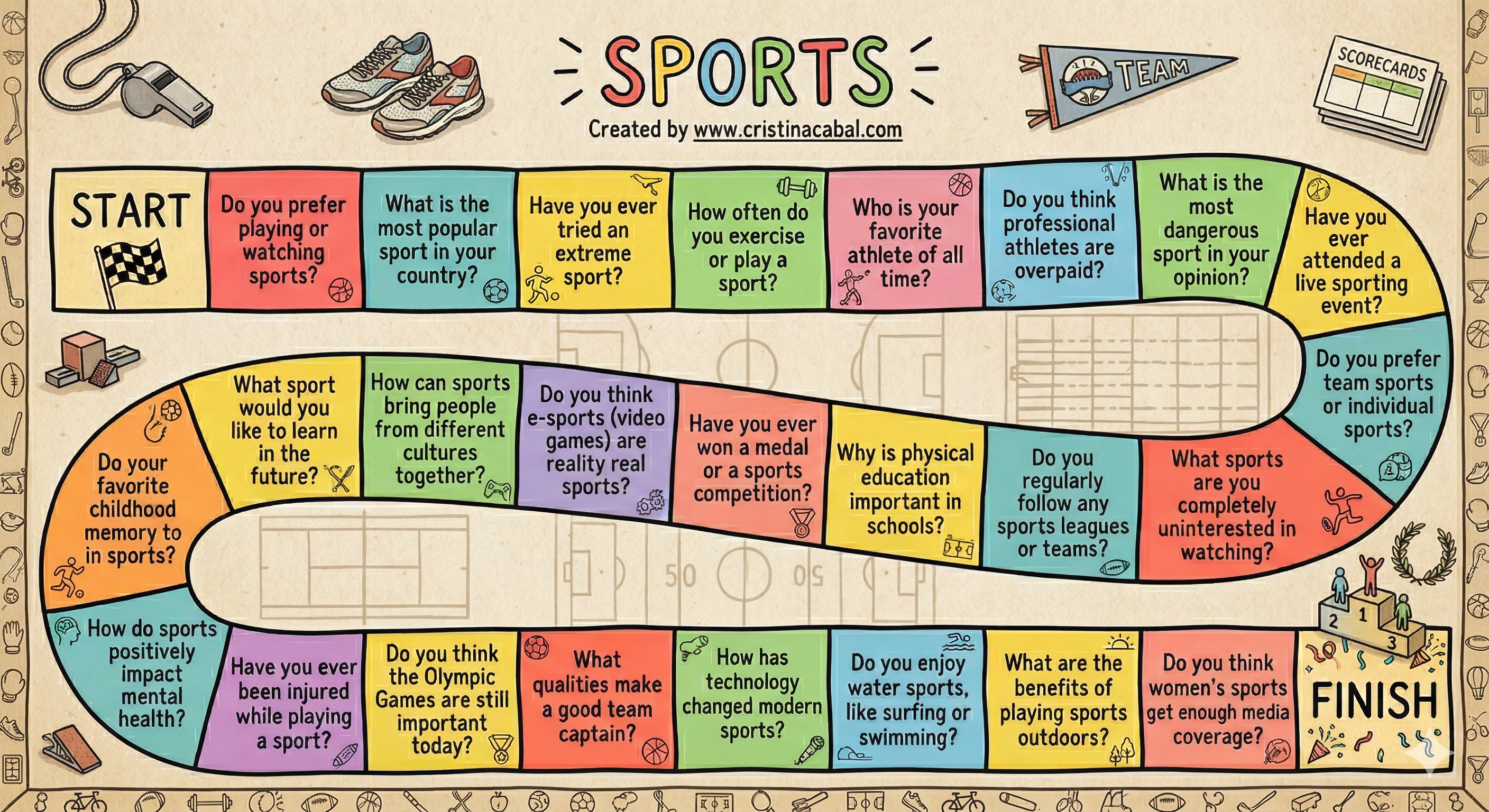
We are going to use Gemini’s image generation tool (the famous Nano Banana) to build the entire board—questions and all—in one go.

  • In Gemini, go to Tools,
  • Select Create Image, and if you want the highest quality, don’t forget to
  • Select  Pro (you get 3 of these a day on the free plan!).

Prompt:

Create a printable board game with a winding path of [20] squares. (Board game race style) in English about Sports. Each of the squares will contain one of the questions generated above. Scrupulously respect the spelling of the questions without changing any letters. The questions cannot be repeated in the game. Include a ‘Start’ square at the beginning and a ‘Finish’ square at the end.  All squares are connected to each other in sequence. The squares are not numbered. Colorful design. Put each of these questions in a square and respect the spelling without changing any letters. Title it ‘SPORTS’ and under the title  ‘Created by www.cristinacabal.com‘. Everything must be in English.  [Hand-drawn sketch] style.”

Important: Sometimes, and especially if your questions are too long , there could be some minor spelling errors. Remember that we are using a machine here. If this is the case and you don’t  want to generate the speaking board again, there is something you can do to fix these errors. Go to Canva, upload the image, click on Edit and Grab text to modify it.

And now, the most important thing: HOW TO PLAY.

Put students in groups of three and handthem a standard small die and three individual counters. They roll the small die to navigate the board. When they land on a square, that student has to speak about the topic for exactly three minutes.

Enter “The Grammar Dictator”

Three minutes of fluency practice is fantastic, but I want to push their grammatical limits.  Wanna add to the fun? Use a giant foam dice  to dictate how they must answer the square they selected.

How? You simply assign a grammar rule to each number on the die and write it on the board

  • Roll a 3? They have to build their 3-minute argument  including the connector of contrast Despite

  • Roll a 4? They need to include  a perfect modal.

Vocabulary Revision: A Collaborative Retrieval Vocabulary Race on the Board

This vocabulary activation game is quick, lively, and takes barely 2 minutes to set up. It’s one of those low-prep routines that instantly wakes up students’ brains before any speaking or writing task. You just need to think of around 10–12 key words you want to revise, and that’s it! Learning+ engagement: no AI this time!

Here is how it works:

1.  I divide the class into two groups and place them on opposite sides of the room, each one with their own board. This small detail is gold. Why? Because they can’t peek at the other team’s answers, so everyone has to really think and retrieve the vocabulary from memory.

Plan B:  if you don’t have two boards on opposite walls, you can simply divide the main board into two sections and assign one side to each team. In that case, I just ask students to turn slightly away from the other group while they write, so they stay focused on their own answers.

2.  I tell them we’re going to revise 10–12 key words related to our topic (in this case, ” City Life”), and someone in their group must write the numbers from 1 to 12 on their board. That’s Step 1 and should be done before the activity begins.

3. Then, each team stands in a line at a reasonable distance from their board.  The first student in line walks to the board, I say a word in Spanish, for example, Number 1.  “las afueras,” and the student writes the English translation. Once they finish, they go to the back of the line. Next word: Number 2  “semáforo.” The following student writes, next to number 2, the words “traffic lights.”

IMPORTANT: First, the student in turn  walks to the board and then you say the word to be translated. This is key and will prevent other members of the team whispering the right translation

4. What happens when a student goes to the board and suddenly doesn’t remember the word? Total panic, right? Well, not in this game. If a student doesn’t know their word, they have a strategic choice.

  • They can either write the word they are given  to translate
  • Fill in any missing previous translations
  • Carefully look at their team’s board and correct a spelling or translation mistake that someone else has already written.

But — and this is the key rule — they can only choose one option.

Meanwhile, the students waiting in line are far from passive. They can quietly discuss possible mistakes or check the vocabulary already on the board. However, they are not allowed to communicate with the student who is at the board, which keeps the retrieval process individual while still encouraging collaborative thinking within the group.

5. Once the game has finished, I tell groups they have the possibility to go to their board and correct two mistakes. More discussion. More learning.

6. At the end, I quickly go over both boards, correct the answers, and award one point for each correct word. It’s fast, energising, slightly competitive, and pedagogically powerful.

GOLDEN RULES: Recap

  1. Before the activity starts, one member of each group writes the numbers from 1 to 10–12 on the board. This should be ready in advance so everything runs smoothly.

  2. Don’t reveal the word to be translated until the student whose turn it is has stepped away from their group and is standing next to the board. This helps prevent teammates from whispering the answer.

  3. If a student doesn’t know their word, they need to make a strategic choice. They can choose one of these options:

    • Write the word they were given to translate.

    • Fill in any missing translations from earlier turns.

    • Check their team’s board carefully and correct a spelling or translation mistake already written.

I hope you give it a try and see how it works with your students.

3 Fun Ways to Personalize, Engage, and Totally Wow Your Students Using Artificial Intelligence

How cool would it be if your students walked into class and felt like the lesson was designed just for them? Like, not some generic worksheet, but content that feels real, relevant, and totally engaging. Well,guess what? With a little help from artificial intelligence, we can actually make that happen!

Let me walk you through three super fun, highly customizable activities I’ve designed using AI tools — and trust me, your students are gonna love them.

While this example focuses on the topic of crime, the real beauty of these activities is their flexibility. The prompts, tools, and AI-generated content can be easily adapted to suit any topic or level — from beginners learning food vocabulary to advanced students tackling social issues. It’s all about making the content work for your class

Creating  a Personalised Listening Comprehension Text and Questions

We’ve been diving into the topic of crime for the past two weeks, and students have already built up a solid bank of vocabulary: burglary, fraud, suspect, on probation, to be sentenced, life sentence, to sue… you name it. So I thought, why not take it up a notch?

I used ChatGPT to help me craft a fictional news story about a crime happening right in their own region. Yep, something that felt local, real, and instantly relatable. I made sure to weave in the vocabulary they’d been learning — so as they read, they were like, “Wait, I know that word!”

But I didn’t stop there. I also asked ChatGPT to generate comprehension questions — true, false, or not stated — based on the story.

These are the prompts I used.

Prompt 1. Create a piece of news about a crime in Asturias for C1 students of English. Use C1 vocabulary and structures. Include the words: assault, on probation… Length:about 250 words.

Prompt 2. Write 10 True, False, or Not Stated statements based on the text, ensuring you do not copy the exact wording but instead paraphrase or use synonyms. The statements should follow the same order as the information appears in the text and include a balanced variety of true, false, and not stated items. Be careful that the Not Stated sentences are clearly distinguishable from the false ones. For each statement, provide the correct answer (True, False, or Not Stated) and indicate the relevant section or line of the text as evidence where applicable.

PDF: Teacher’s and Student’s


From Teacher to News Presenter — with a Little AI Magic!

This is where things got extra fun — I took a photo of myself (because why not?) and turned it into an AI avatar that read the story out loud in a perfect native English accent. And listen, my English is good… but let’s not kid ourselves — it’s not BBC News-level good!

Did I feel awkward about putting my animated face on a fake newscast? Nope. Not even a little. I mean, I’m clearly past the point of being easily embarrassed — and honestly, it was a hit! I used a  news-style template, added some dramatic music and headlines, and just like that, we had a super realistic, super fun classroom news report.

The students? Mesmerized. It was like watching the 6 o’clock news — except starring their teacher, speaking English they actually understood!

I have used Canva for education to create the video and the avatar

From Teacher to App Creator: Making Vocab Revision Fun with AI

Okay, now let’s talk about Claude, one of my favorite language models (yes, I’m a bit of a fan). I used it to create an interactive app that helped us revise all that juicy vocabulary we’d been working on — and throw in some new words too. And let me tell you, that mix of revision and fresh vocabulary? It made the whole thing way more exciting!

So,  I designed the game for two teams to compete. The rules were simple: each team took turns choosing a square on the grid and picking the correct option. If they got it right, they scored a point automatically and the grid changed to green. If a team got it wrong, the other team could choose that square again and steal the point by answering correctly.

But here’s where the fun kicked in: some of the vocabulary was just revision, while other words were completely new. This added a whole new layer of competition!

This the prompt I have used. I have had to iterate 4 or 5 times until I got what I wanted.

Create an interactive board game using html. I want two Teams. Team A and Team B who take turns answering questions. Each team has its own score counter that updates when they answer correctly. There should be visual indicators showing which team’s turn it is.

The game should include 20 different questions about crime and punishment, vocabulary appropriate for C1 English students. Each of the 20 squares has a unique question. When you click on one square a question about crime and punishment for C1 students will be displayed. When a team answers a question correctly, the corresponding square permanently changes to green.

The background colour should be red and the website link “www.cristinacabal.com” is displayed at the bottom

Finally, can you give me the answers to the questions in the game?

Ready to try them and adapt the prompts to your own context?