Monthly Archives: April 2026

How to Get the Transcript from an Audio or Video in Seconds and 6 Ideas to Use the Transcript

Can we talk about the hours we’ve spent? You know exactly what I mean. Whether it’s that perfect YouTube video or an audio file sitting in a folder on your computer, you find the ideal clip but then realize you need the transcript to create a gap-fill, a listening comprehension, or just to highlight some “juicy” collocations. It used to take forever, but those days are over!

For years, I’ve been the one hitting play, pause, type… play, pause, type. It’s exhausting! But as I always say, if I can embrace the tech, you can too. Those days of manual labor are officially over because Gemini is about to become your new best friend..

How to Get That Transcript in Seconds

Here’s how to get the trasncript without breaking a sweat:

  • The Direct Link Method If it’s a YouTube video, it’s “easy peasy.” Just paste the URL directly into Gemini and ask: “Can you provide a full transcript for this video?”

  • The File Upload  If you have an MP3 or a video file on your computer, just click that little Plus Sign (+)  and then, the Upload icon. Upload your audio or video and tell Gemini: “Transcribe this audio for me, please.”

    TIP:  If the transcript comes back as one giant block of text, ask Gemini to: “Break this into paragraphs and add timestamps every [30 seconds].”

    Video: Step by Step

    To see exactly how this works, I’ve recorded a short video for you. Even though it’s in Spanish, you won’t have any problems following the steps—it’s very intuitive!

Making the Most of That Transcript

Getting the transcript is just the beginning, but  I am afraid turning it into a solid exercise takes a little more than just a “copy-paste.” If you want a listening comprehension exercise that isn’t totally predictable, you’ll need to put some work into your prompt. That’s where the real magic happens! But don’t worry, we’ll dive deep into those prompting secrets in a future post. Keep posted!

6 IDEAS TO WORK WITH JUST THE TRANSCRIPT.

If you think a transcript is just a boring piece of paper, think again! Once you have that text in your hands, you have a goldmine for active learning.Here are a few ways I love to use transcripts to keep things spicy in the classroom:

  • Grammar Focus: Remove all the prepositions, articles, or a specific verb tense (like the passive voice) and have students try to “restore” the text before listening to check.
  • Vocabulary Focus: White out 5–10 “juicy” words and have them guess the words based on the context.
  • Before they even see the whole transcript, give them just the first paragraph or even just the title. Ask them: “What’s going to happen next?”.
  • Try a Jigsaw: Cut the transcript into sections and give one to each group. They have to summarize their part and then work with the other groups to figure out the correct order of the story.
  • The “Summary Challenge”:  Give them 3 minutes to read the transcript and summarize it in exactly 20 words. No more, no less! It forces them to prioritize the most essential information.
  • The “Shadowing” Technique: This is brilliant for advanced grammar and flow. Have students listen to a small snippet of the audio while reading the transcript and try to mimic the speaker’s exact rhythm and intonation.
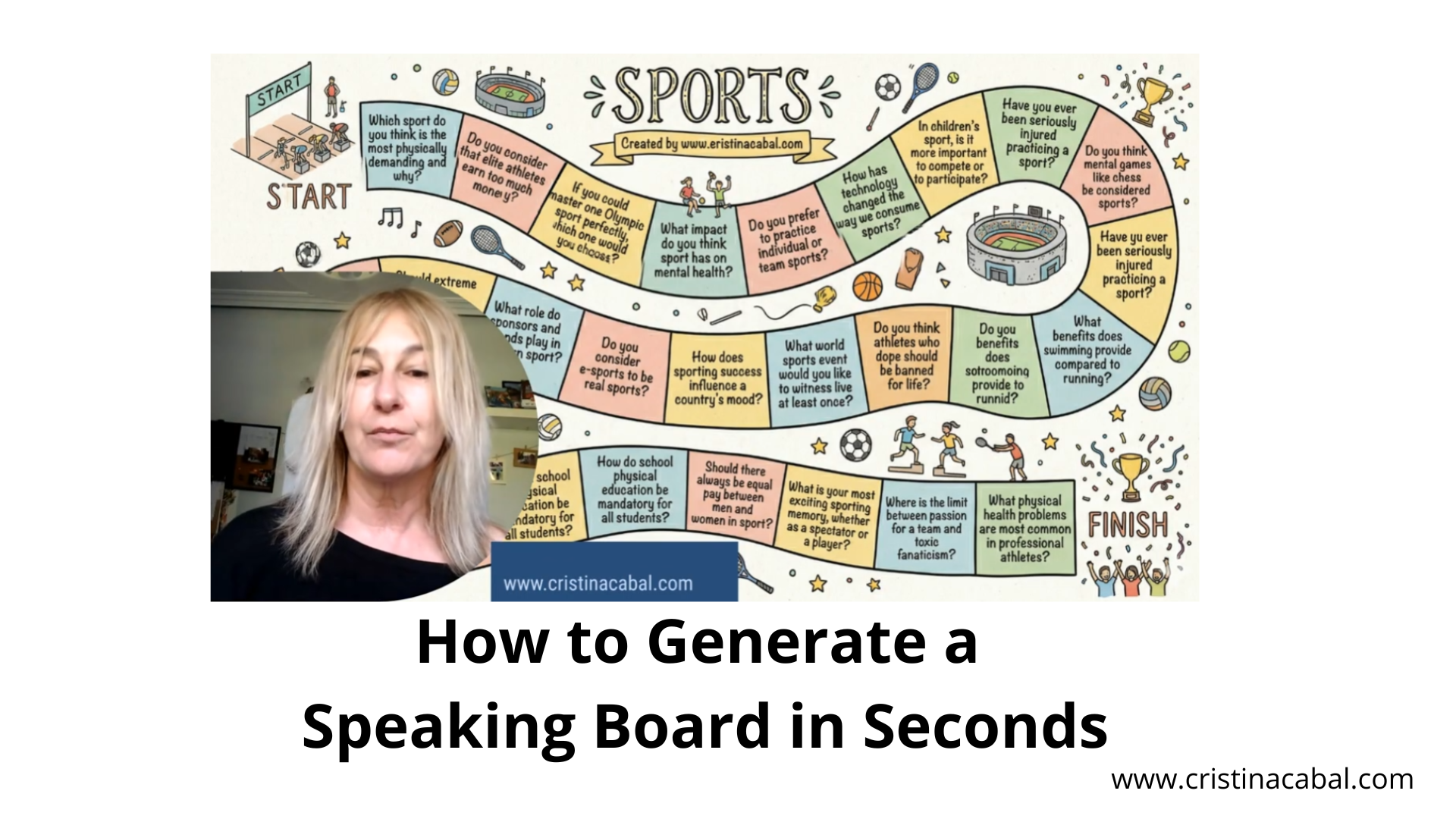
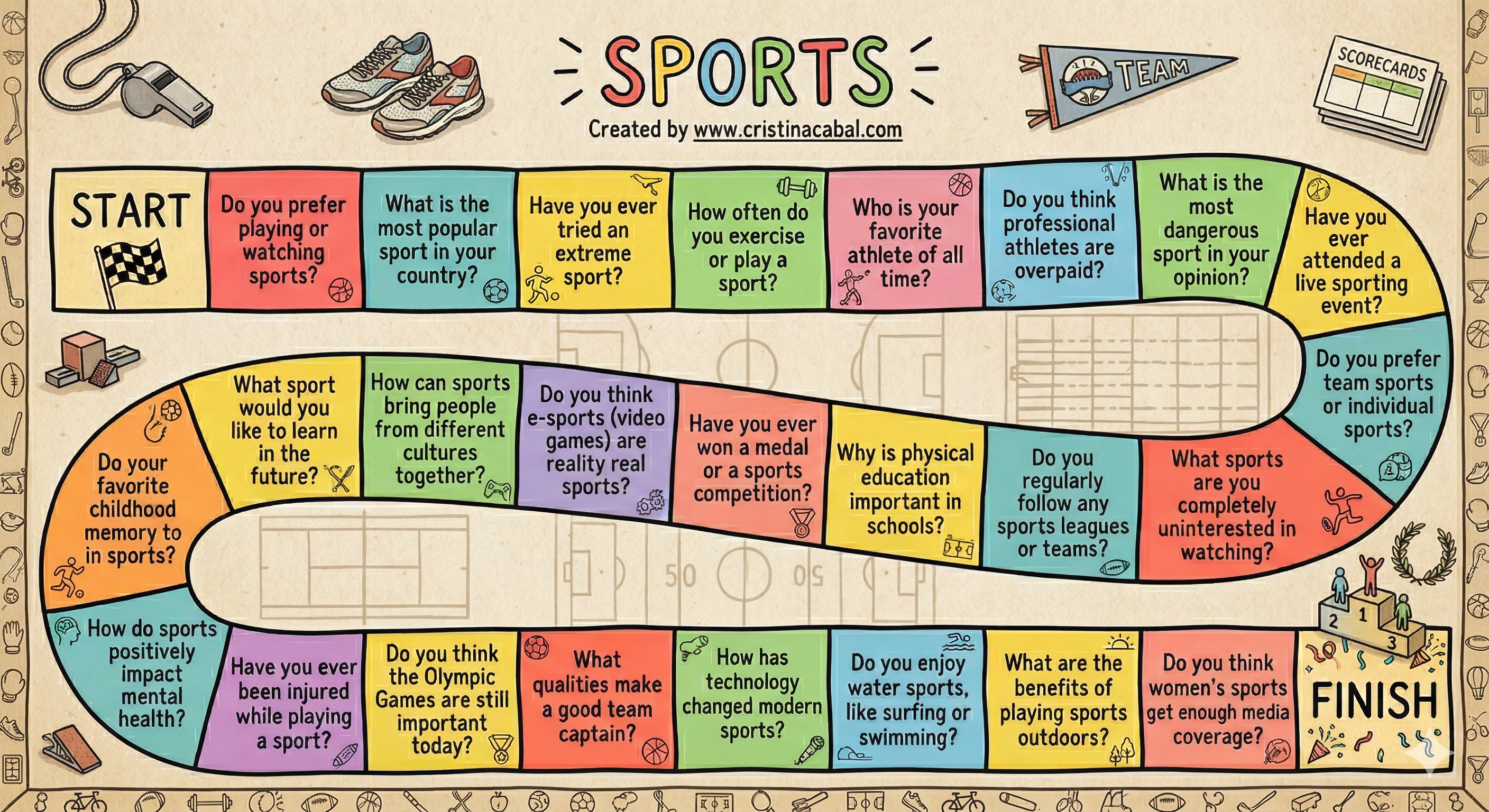
How to Generate a Speaking Board in Seconds.

Oh, I am so excited to share this with you!Today, I’m going to show you how to create a personalized, professional-looking board game in literally one step using Gemini’s Nano Banana 2. Easy and Free.

Click to See Explanatory Video on Youtube (in Spanish)

Step 1: Let Gemini Build the Content

Go to  Gemini- which is Google’s primary AI assistant- and register for free. Then, ask Gemini to generate the questions you are going to use. For my B2 students working on “Sport” vocabulary, I need short, punchy questions that will actually fit inside a game square.

Prompt Example: “Generate 20 short conversation questions (max 10 words) about sport for B2 English  adult students.”
IMPORTANT: To make sure everything remains readable, we need to keep our questions short and sweet so they fit perfectly inside those game squares

Step 2: Creating the Board Game

We are going to use Gemini’s image generation tool (the famous Nano Banana) to build the entire board—questions and all—in one go.

  • In Gemini, go to Tools,
  • Select Create Image, and if you want the highest quality, don’t forget to
  • Select  Pro (you get 3 of these a day on the free plan!).

Prompt:

Create a printable board game with a winding path of [20] squares. (Board game race style) in English about Sports. Each of the squares will contain one of the questions generated above. Scrupulously respect the spelling of the questions without changing any letters. The questions cannot be repeated in the game. Include a ‘Start’ square at the beginning and a ‘Finish’ square at the end.  All squares are connected to each other in sequence. The squares are not numbered. Colorful design. Put each of these questions in a square and respect the spelling without changing any letters. Title it ‘SPORTS’ and under the title  ‘Created by www.cristinacabal.com‘. Everything must be in English.  [Hand-drawn sketch] style.”

Important: Sometimes, and especially if your questions are too long , there could be some minor spelling errors. Remember that we are using a machine here. If this is the case and you don’t  want to generate the speaking board again, there is something you can do to fix these errors. Go to Canva, upload the image, click on Edit and Grab text to modify it.

And now, the most important thing: HOW TO PLAY.

Put students in groups of three and handthem a standard small die and three individual counters. They roll the small die to navigate the board. When they land on a square, that student has to speak about the topic for exactly three minutes.

Enter “The Grammar Dictator”

Three minutes of fluency practice is fantastic, but I want to push their grammatical limits.  Wanna add to the fun? Use a giant foam dice  to dictate how they must answer the square they selected.

How? You simply assign a grammar rule to each number on the die and write it on the board

  • Roll a 3? They have to build their 3-minute argument  including the connector of contrast Despite

  • Roll a 4? They need to include  a perfect modal.