I want to thank Elisabeth Knittel for her contribution to this blog .  This article is hers and I can only hope it is not the only post she writes in this blog.
Time to wake up! Time for school! Today is the first day of high school, the first day of ninth grade. This will be my school for the next four years until I am 18 years old. Oh, how I miss middle school where I went everyday for the past 2 years, from 7th grade to 8th grade. Today I have to hurry so I don´t miss the school bus.
When I arrive, I go to my locker to get my books and supplies for my classes.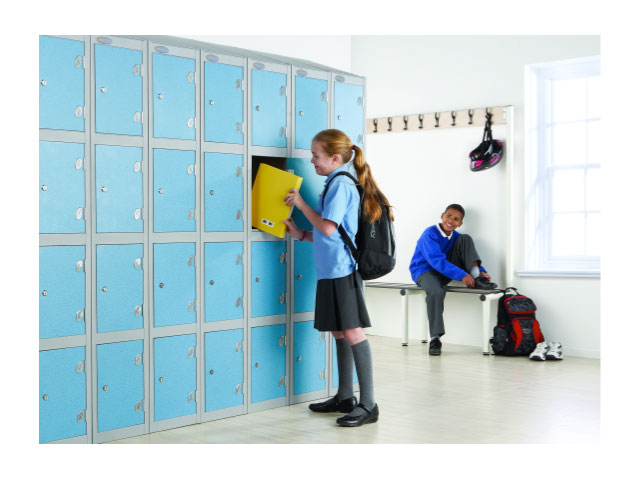
Then, I go to my homeroom,which is where the teacher takes attendance everyday and we listen to the school announcements and news over the loudspeaker. After the principal talks about the upcoming school activities and events we all stand, face the flag, (there is one in every classroom) put our hands over our hearts and recite the Pledge of Allegiance. 
“I pledge allegiance to the flag of the United States of America, and to the republic for which it stands, one nation, under God, indivisible, with liberty and justice for all.”
After the Pledge, we all go to our first class. I will miss my friend, Mary, because we have different schedules and I will not see her until lunch. I have 9 classes that are 40 minutes each every day and because I am a freshman, I have to take math, science, history, art, English, gym (physical education), and foreign language. I also have a study hall, which is one free period to do homework, study, or chat with my friends. However, when I am a sophomore, junior, and senior, I will take history, English, and gym and choose if I would like to continue the other subjects or even pick if I would like to take classes that will help me become things such as a hair stylist, accountant, hotel manager, or mechanic.
My favorite part of the day is lunch. It is usually half way through the day and I get to see my friend Mary and many other people. We can either bring our lunch from home or buy it in the school cafeteria for $2 and it includes the main course, fruit, vegetable, potato, dessert and milk…what a bargain! 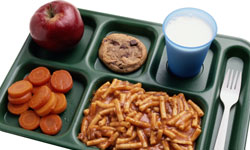
After lunch we go back to class until 2:30. We might even have a fire drill. This is when we practice what to do and where to go if there is a fire in our school. Then some of the students go home, some of them even have jobs so they have to go to work.
When school ends, I will stay after for volleyball practice. There are many different school sports teams that students are a part of including basketball, football, soccer, and cheerleading. Many students also stay after for choir practice or play practice. We will probably be at school until 6:00 and then I will go home for dinner. Well, that´s all for now! I can´t wait for my high school career to begin!
Homeroom-group of students
Pledge of Allegiance-speech American students say everyday stating their nation’s beliefs
study hall–free time to do homework and study
freshman-1st year of high school
sophomore-2nd year of high school
junior–3rd year of high school
senior-4th year of high school
bargain-great price
fire drill-practice for a fire
 occasion in my life when I was given a present or invited to a romantic dinner whatsoever.( If you are reading this and you are one of my ex-boyfriends, don’t hesitate to send me an email if I have forgotten what you did for me on that day. Don’t get pissed off, I am sure it was beautiful and it meant the world for me).


 I am! Trust me! When I get home from a school packed with teenagers I go home to more teenagers, my own children. They take up most of my free time. I help them with their homework, cheer them up when they have had a problem at school, cool them down when necessary, take them to their different after school activities – none of them in the same place where I live… and a long etc. Have I ever mentioned that I also try to teach them some English?