Category Archives: Resources

Playing with images: Bookr

Playing? Working? Teaching?Let’s not beat about the bush and call a spade a spade …yes , I am playing , playing with images . It is my firm conviction that when you see something you remember it better. That’s why , once again, I have used the same tool I used when teaching Food and Cooking : PimPamPum . This is a version called Bookr , and as its name suggests it creates photobooks using Flikr images. The photobooks are very simple to create, you just need to type in a key word to find the images you want and then drag them onto the pages and add what you need to be taught and illustrated.
I think this a nice way to teach parts of the animals and I’ve also added some idioms containing animals that need to be studied. 

Animals by Cristina

Related entries:

Subtitling Videos: a nice way to practise

So, let´s imagine that lately you ‘ve been having some problems with understanding listening comprehension and all of a sudden ,you realize it’s May and you’re taking your listening test in about a week or so. In that case, there are so many good websites I would recommend that I could keep you busy for the whole year. Today ,let me show you something that I bumped into quite by chance.
It’s a place where you can find subtitled videos and what’s more, you can even request for some videos to be subtitled too. This place is called SubPLY .
As we are learning about food and cooking I tried searching the site by writing the word “food” and I found quite some interesting videos where you can revise vocab.
Why don’t you try it and let me know what you think? Now, click on the image and it’ll link you to their website and ,from then on, you can do your own search.

Related entries:

Wordle: creating “word clouds”

It is not the first time I ‘ve used this tool, but it is the first time I’ve used it to revise vocabulary. I like it because it is easy to use and also attractive and we all know that students appreciate it when you give them something different.
How does this tool help me? Wordle is a “toy” for generating “word clouds” from the text you provide.
In the past I mainly used it to decorate some posts and in class to retell a text. It is a great tool for retelling as the clouds give greater prominence to words that appear more frequently in the source text.

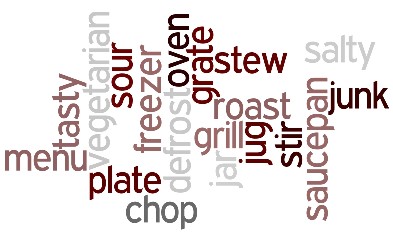
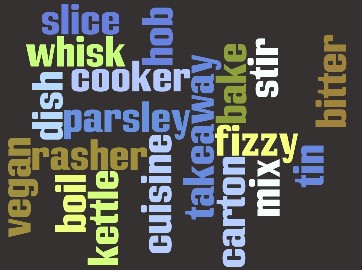
But today I’ve discovered a new use to Wordle. I needed tor revise some vocabulary. I normally do it as a competition game with strips of paper and the word to be revised written on them. But today I tried writing the words to be revised and this is the result. I’ve created two word clouds as I am going to split the class into two and let them compete against each other by giving them a maximum of two minutes to try to define the words to their team. So, I’ve printed the word clouds and used it in the OHP. Hope they like it! I had a great time too tweaking the fonts, colours and layout.

Related entries:
Karaoke on line
Fancy doing a dictation?
Warhol


And yet another way to improve your vocab

Now that you have a certain skill at mastering new structures it’s time to improve your vocabulary. There is no point in learning a new word unless you know how to use it and it is also important to understand how words are used.
So here is a cool site you can enjoy. It is called WORDIA. What is this and what are they? I quote “We’re a team of language enthusiasts and general word nuts who have joined forces to create a new kind of dictionary – a democratic ‘visual dictionary’. A place where anyone with a video, webcam or mobile phone can define the words that matter to them in their life.”
As anyone can record words , it goes without saying that I accept no responsibility for anything incorrect, improper, wrong … you name it.
Click on the image and try it.

You can also get a new video sent to you everyday, just by adding your email address to the subscription field and each day you will be sent a link to the newest word.

Related links:

Food and cooking. Working with Flickr

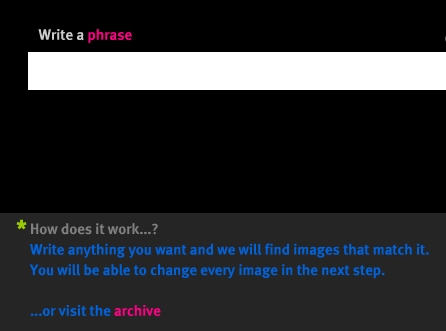
Food! Food!! Food for thought! Always nice to learn something so useful. Nive way to teach too when it is as funny as doing it using this amazing tool which borrows pictures from Flickr and allows users to input sentences, phrases or even entire paragraphs and then turn them into illustrated slide shows .

Why don’t you try your own images and share them? Have a look at what I’ve done.
Ways of cooking
http://www.pimpampum.net/phrasr/?id=17840

Kitchen equipment
http://www.pimpampum.net/phrasr/?id=17841

Taste:
http://www.pimpampum.net/phrasr/?id=17844

What’s the difference between Sour and Bitter?
1.Take a drink of Vinegar : This would be sour or so considered to be.
2.Take a bite of Real pure dark chocolate: This would considered bitter
1.A Grannysmith green cooking apple would be sour
2.Coffee without sugar or cream would be bitter
Sour lemons and limes, or unripe fruit before it becomes sweet.

Vegetables
http://www.pimpampum.net/phrasr/?id=17846

Enjoy your meal!!