Tag Archives: grammar

Some Activities to Teach Gerunds and Infinitives

I always claim that English grammar is easy, especially when compared to the Spanish or French grammar, but it gets a bit messy when it comes to verbs followed by infinitive or gerund.

The easy thing to say is that

  • some verbs are followed by infinitive (promise to go)
  •  some verbs are followed by gerund (can’t stand ironing).

But then we find that,

  • some other verbs are followed by infinitive or gerund with no change of meaning (start to study/start studying)
  • while some others are followed by infinitive and gerund with a change of meaning (stop to smoke/stop smoking)

And to add insult to injury,

  • some verbs are followed by infinitive with to (offer to help)
  • some others by infinitive without to ( make me study)
  • some verbs are followed by gerund, but if there is an object pronoun in between the verb and the gerund, then the gerund becomes infinitive (recommended reading / recommended her to read) …

Amazing, isn’t it?

Well, I suppose there’s nothing we can do about it, so let’s get down to some serious studying.


  • Level: Intermediate
  • Time: 60 minutes

THE GRAMMAR.

Download the document here


      THE PRACTICE:

Exercise 1. The Quiz


Exercise 2: The Rewriting Exercise


3.  Speaking and/or Writing: Storytelling Competition


  • Go to wheeldecide.com. Ask students to tell you verbs followed by gerund first, and then verbs followed by the “to” infinitive. Feed the wheel with these verbs.
  • Explain that in this activity they will need to seat in a circle in groups of 4.
  • Explain that you will write on the board the beginning of a story and then, in their groups, they will need to continue it.
  • Write on the board the beginning of a story. You can use this Short Story Generator.
  • Spin the wheel.
  • To make sure students will use the verb in the correct way, ask them to tell you whether the verb displayed in the wheel is followed by infinitive or gerund.
  • The oldest person in the group will start telling the story using the target verb in the wheel.
  • Give the student one minute to continue the story and then spin the wheel again for the next student.
  • If a student cannot come up with an idea to continue the story, he’s eliminated.
  • Continue until there is only one student left. This student will be the winner if he manages to give the story in his group a suitable ending.

Here’s the wheel I have used with my students.
Join us on Facebook

The Article in English: Explanation, Exercises and a Challenging Quiz

Although the use of the article in English seems a priori an easy subject to teach, the truth is that some students struggle with the use and omission of it.

What can you find in this post?

  • Intermediate level:
  1. Animated video with some rules on the use and omission of the articles “the, a/an”
  2. Some links to exercises from around the web to consolidate knowledge.
  • Advanced Level:
  1. An engaging quiz with feedback notes featuring some difficult cases related to the use and omission of articles.


Grammar. Watch the presentation. Pause it as often as necessary to understand and assimilate the rules.

Exercises: Links to interactive exercises  from around the web to consolidate knowledge.


The quiz


Teaching Both, Neither and Either with List.ly

Several times I have been on the verge of almost writing a post exclusively to share with you this beautiful presentation tool without any reference whatsoever to English teaching.

But I didn’t. I don’t know why, but I’m glad I didn’t.

Normally posts about tools and apps you can use in the classroom go unnoticed, unless you’re clearly into incorporating technology into your classes.

So, next week I’ll be teaching the grammar for both, neither and either and I thought it would be nice to use this tool to present and teach these pronouns as, among other things, List.ly helps you build beautiful presentations, add text and links.

Now, if you’re not interested in incorporating List.ly into your classes, you can skip all about List.ly below and go straight for the grammar. 🙂 although I hope you don’t.


About List.ly


What is List.ly?

Basically it’s a tool for creating and curating lists. With List.ly you can

  • Curate content
  • Create original post content
  • Get feedback from your students

Other features

  • You can add items with or without links, photos, text, video, audio…etc
  • Also, it’s a highly collaborative tool. Students can participate:

-by voting individual lists items up or down

-by adding to the lists

-by writing comments

  • It’s free ( you can create 3 free lists) and you can easily share it and embed it on your blog.
  • You can choose from 6 formats: list, gallery, magazine, slideshow, minimal and badge.
  • You can make it private. You can obtain the link and share it privately.
  • You can moderate the list to approve any comments or contributions to the list.
  • You can decide the order in your list: curated order (great for collaborative storytelling), crowdrank (great for voting), alphabetical or newest.
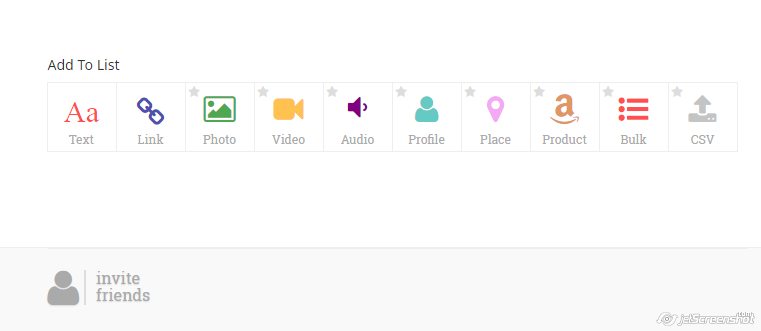
  • Below you can see some of the things you can add to your list

 Tutorial: here

   How can I use it in the classroom?

Given that you can allow students to collaborate, there are endless possibilities. To mention just a few:

  • Create a list of tips. For example: for scoring high in the oral exam and have students vote the most helpful.
  • Choose a topic, for ex. stereotypes and let students add their own ideas to the list.
  • Create a list linking to specific content they need to see or study: videos, grammar exercises, topic-related lessons, …etc.
  • As you can also upload audio, give them a topic for discussion and ask them to add to the discussion by uploading a recording with their own view on the issue.
  • Create beautiful presentations with links to extra content.
  • Writing contest: share their writing and ask students to vote on the best.
  • Start a list with the songs they would like to work with, ask them to add their favourites and then vote on the best.
  • Collaborative Speaking activity: brainstorming of ideas.

Any other ideas?


 Using BOTH, NEITHER AND EITHER


  1. Traditional? Pdf with exercises here. 
  2.   A bit less traditional? Down here!

I have embedded the presentation using two formats:

  • slideshow format
  •  List format

I’m Shamelessly Addicted to this Game

Yes. It’s true. I love this game. It’s just the right kind challenge for someone studying English.

The game is called Fluent and this is how it works:

  • There are 20 different trivia categories all dealing with grammar and vocabulary.
  • You’ll have to answer each question before you run out of time.
  • You have 3 lives.
  • You’ll need to answer 5 questions correctly to go to the next level.
  • As you level up, you are given less time to answer.
  • You can play it pairs (or 2 teams) and the winner is  the top scorer after 8 questions.

Ready for some fun, a bit of challenge and lots of learning. Here we go, then!

Click on the picture.

fluent

Blog de Cristina is on Facebook, too. Join us!

Using Genial.ly to Create Visual Activities for the Classroom

Here I am again. Trying another tool.

To be honest, the tool was suggested to me by one of the teachers (Marga Valdés) attending a talk I gave last year. It was a talk about creating activities for the classroom using free online tools, and when I finished the presentation, this teacher came up to me and said she was surprised I hadn’t mentioned Genial.ly. I confessed to her I didn’t know the tool and promised I would give it a go.

It was almost the end of the course and although I gave it a quick try, my mind was in holiday mode, and I didn’t put my heart into it. Now, after trying the tool, I run the risk of becoming addicted to it!.

Genial.ly works like Thinglink but, in my opinion, it’s a lot better.  Genial.ly is a web tool to create engaging interactive visual content. You can make interactive pictures, infographics, presentations, posters and questionnaires or guides. And, for me, the best thing about this tool  is that you can choose from a wide variety of free templates to create very professional interactive content or you can upload your own pictures and start from scratch. It also gives you the ability to integrate videos, audio, and any embeddable code among other things.

THREE ACTIVITIES I HAVE CREATED USING GENIAL.LY
Using how long+present perfect in combination with simple past

Aim: To orally practise asking and answering questions using Present Perfect and Simple Past.

Competition: revising irregular Verbs.

Click on “instructions” to see how to play


Indirect questions + questions about money.

A speaking activity revising the grammar for indirect questions and questions about money.