Tag Archives: onlinetools

All right, I have an OHP and now what? Part 2

Dear reader,
About two weeks ago I wrote the first part of this series which I should have called “Adventures and Misadventures of a teacher with nothing but a projector “.
The next obstacle in my path was the lack of a computer in this classroom. But, of course!.. 😉  we have one laptop for the English department but… it’s not always available. So, we have to take whatever laptop is available from other departments. The problem is that not all laptops have programmes installed that can read Flash or whatever format your video is in so the innocent teacher, unaware of this fact, walks into his classroom with a video downloaded from the Internet ready to be played, some questions about the video ready to be answered and some hours and a lot of effort put into this task and realises that the laptop cannot read his video format. Swearing and bumping your head against the wall is not a good option,  trust me on this one, I have already tried it, so what’s left?

Downloading VLC media player, which is player that reads most multimedia files as well as DVD, Audio Cds, VCD …etc .

You can easily download it into your computer from this site (Click here) though I strongly recommend you download a portable version of this programme and carry it around with you, in case you have to borrow a computer from some other department. (portable version, click here).

Will I ever need to write Part 3? What are you guesses?
All right, I have an OHP and now what? Part 1

Exactly and now what?

Surprisingly , a publishing company has given  the English Department an overhead projector and given that we have to almost beg for our own  children’s books I can only describe it as an act of utter generosity. I should maybe have to explain that although education  is compulsory in Spain until you’re 16 ,books are not free; not even kept at the school and handed from student to student . So you can only guess at how much publishing companies earn out of textbooks.

Right , so now I have an overhead projector but… I don’t have  an Internet connection. The thing is that I have a funny video that fits like a glove with my next lesson and I want to display it using the OHP.

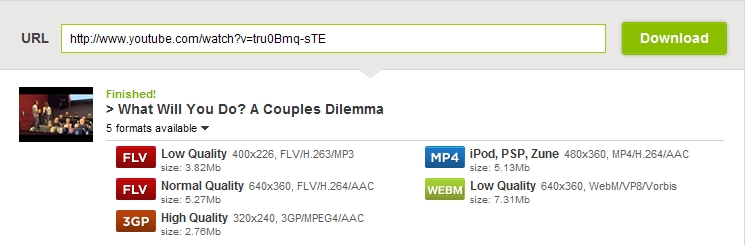
That’s where this little tool comes very handy. It’s called Savevid and it allows you to download videos from Youtube, Vimeo, Metacafe and some other popular sites  to your computer or USB . The only thing you need to do is paste the url of the video you want to download, choose from 5 formats  the one that suits you best and play it on your computer.

Lesson Plan : Personality adjectives

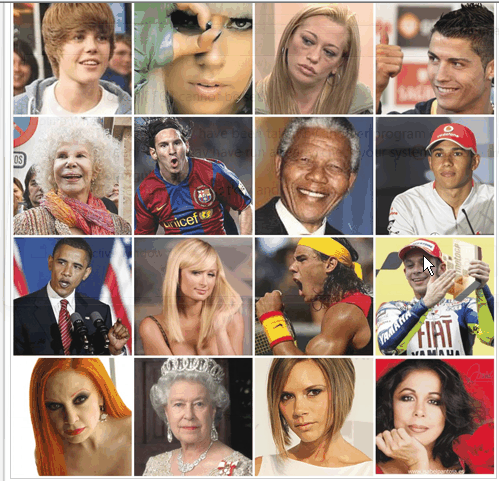
Step 1. Look at the mosaic below with the faces of some well-known celebrities and, bearing in mind what you know about them, write a description based on their personalities. Make sure you use personality adjectives. Do not mention the name of the celebrity you are describing as your classmates aim will be to find out who you are describing. Please, don’t be too flattering or too hard on people. Remember that “not all that glitters is  gold”.

Important: the description should be written in the way of a comment to this post. How to do it? at the end of the post, click No Comments (or 9 Comments  if hopefully I have already published nine comments), leave the comments in the right field, repeat the required anti-spam word and click Submit Comment.

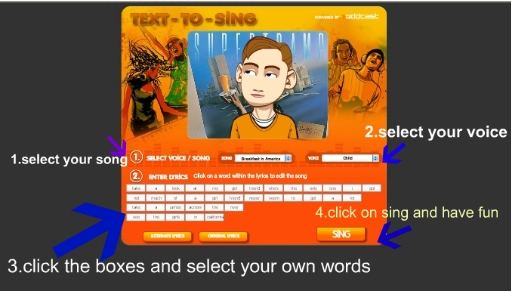
Step 2. Let’s have some fun. How would you fancy converting text to music? This funny programme allows you to type any words and it sings them back to you. Try typing some personality adjectives and listen to them sung by different people. The site is called Text to sing.

Step 3. Exercises. Do the following online exercises .

Exercise 1 Exercise 2

Step 4: Writing. How do you see yourself and how others see you? This task, as you can imagine, requires mature students as it involves writing and reading about you. First, students  find a classmate they know pretty well. Secondly, students write about their own personality and then, about their friend’s personality. Encourage students to explain and exemplify why they have chosen a certain adjective to describe them and also to describe a negative trait in their personalities as well as in their friend’s. Students pair themselves and compare what they have written.

Step 5. Singing Hand in my pocket by Alanis Morisette

When your computer is loaded with Malware

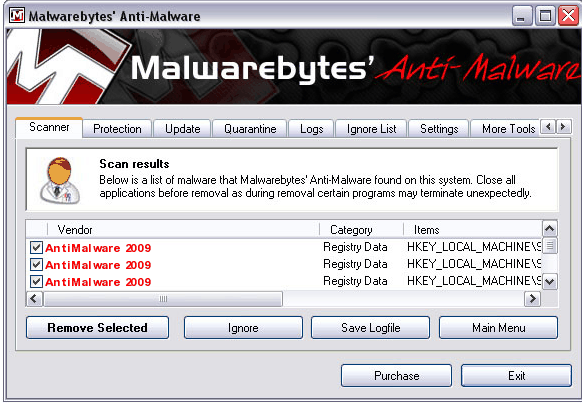
Malware, short for malicious software, consists of programming (code, scripts, active content, and other software) designed to disrupt or deny operation, gather information that leads to loss of privacy or exploitation, gain unauthorized access to system resources, and other abusive behavior. The expression is a general term used by computer professionals to mean a variety of forms of hostile, intrusive, or annoying software or program code.(source Wikipedia)

I’ve been using a programme called Malwarebytes Antimalware for about three years and it has never failed me. So if you are having problems with your computer, I highly recommend you download this free yet effective spyware and virus-removal tool.

Lesson Plan: Retelling an article using Word Clouds

This is a lesson I did with my upper-intermediate students in the computer room and I thought it might be useful to some teachers. The main idea is to retell a text you have previously worked with in class. This is important as  otherwise the task of retelling might be a bit  difficult for weaker students. This is how I did it.

♣ First, for homework, I asked students to reread the text several times .

♣ Then, in the computer room, I asked students to form groups of 3 or 4  and divided the text according to the number of students in each group .

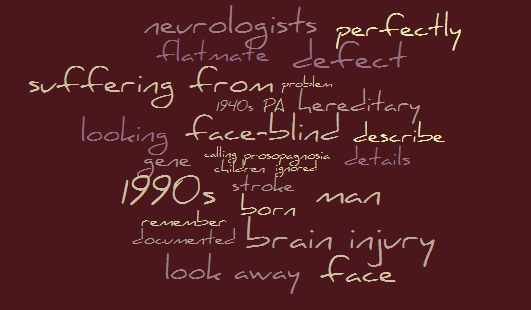
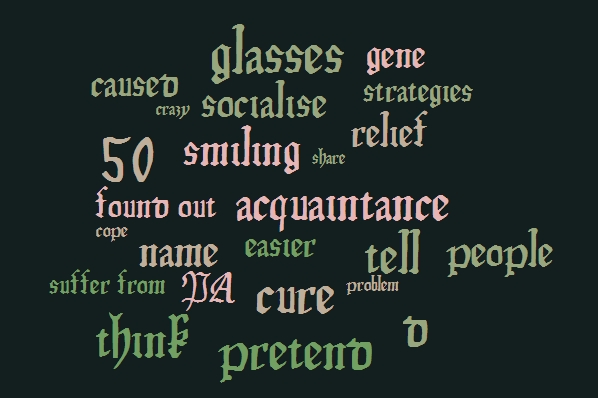
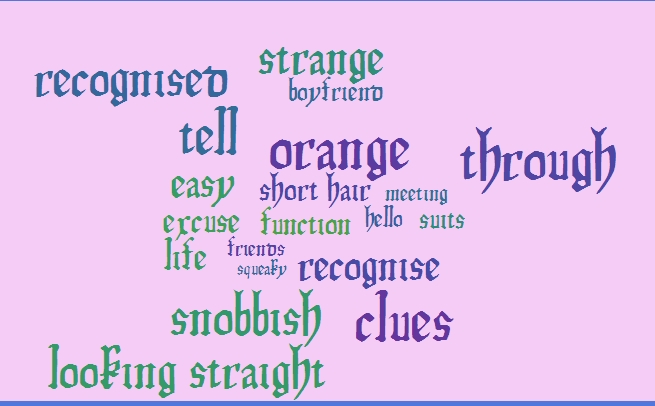
♣ Now, individually and  using the website Word it Out, which is a word cloud generator, I asked them to select the key words in their texts, type them in Word It Out and generate the word cloud. If two words need to be together, it is easy with this generator. Imagine “suffer from”, you only need to insert _ between the two words and they’ll be kept together in the cloud.

♣ Students in groups again, retell the story with the help of the generated  word clouds.

I especially liked this exercise as students get a lot of fun out of it and they collaborate every step of the way. Here are the word clouds generated by a group. I hope you find it useful!