Category Archives: Resources

A Game to Practise Spelling with Teens

Yes, yes… here I am again, struggling to find ways to teach my demotivated students from E.S.O. That’s why I’m constantly surfing  the net  looking for different ways to teach the same things over and over again.

This game can be used to revise vocabulary from the lesson and at the same time practise spelling. It goes like this:

♥ Divide the class in two teams, A and B and ask them to invent a name for their team.
♥Then, divide the backboard into two halves and mark each side  of the board for each team.
♥ On each side of the blackboard draw either:

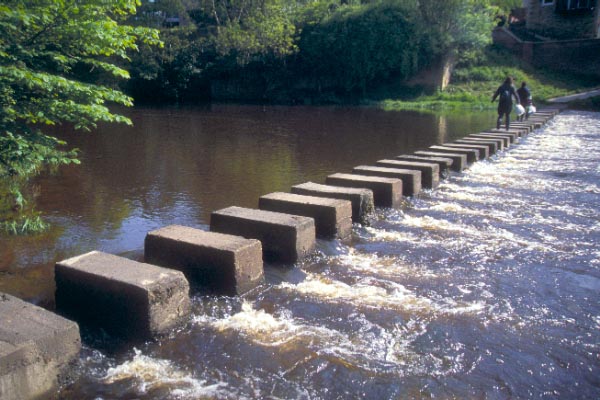
• a river with stepping stones for students to get across the river. The winner is the team that crosses the river first.   For every correct word they write, mark a stepping stone.

• a ladder. The winner is the team that climbs the ladder first. For every correct word they write, mark a step on the ladder.
• a mountain with climbing points for the teams to climb and put their country’s flag up on the top. The winner is the team that climbs the mountain and puts their country’s flag up first. For every correct word they write, mark a climbing point.
• a daisy. The winner is the team whose daisy is wiped out first. For every correct word they write, wipe out a petal and after all the petals have been wiped out, then wipe out the leaves and the stem until the whole daisy has gone.

♥Call a member from each team up on the board and dictate a word from their vocabulary to them. The students write the word they hear on their side of the board making sure at the same time that the student from the opposite team cannot see what the other student is writing. So cheating is eliminated.

This has proven a very nice and exciting way to check spelling, listening comprehension and pronunciation in a fun way.

Many thanks to Barbara Koziori for this idea

There are also lots of sites on the web to practise spelling with the typical hangman game so if you have a little time to spare ,why don’t you try some of these?

http://www.hangman.no/ divided into categories ( Harry Potter,Countries of the World , Musical Instruments..etc

http://www.playhangmanonline.com/ also divided into categories , namely, music, sports , geography …etc

http://www.englishbanana.com/hangmanhome.html and that’s the place you want to go if you want to play the game with colours, everyday adjectives or household things.

If you are feeling creative or just need a specific category to work with (as is my case) , you might want to create your own hangman. To do this try this site http://www.what2learn.com/. It’s good fun!

Blog de Cristina is also  on Facebook.
Editing students’ written assignments

This post is mainly intended for anyone who needs to add comments to a written document. In my case and being a teacher, it has been used to correct essays as more and more often my students seem to be committed to saving the rain forest by not wasting unnecessary paper and sending me their assigned tasks via email instead. I have often used Jing to explain their mistakes but this is an easier way to do so and, in my opinion, as effective.
Of course, I am aware that most of you know how to add comments to a word document so this article is only for those who, like me, have just discovered some of the miracles MS Word can do to help us spice up the always boring task of corrrecting compositions. Before you read further you might like to see an example of what can be done with the Reviewing Toolbar.


Where can you bring this toolbar up? Navigate to the View menu bar and select Toolbar and then Reviewing and you will see the Reviewing toolbar appear with a set of icons you’ll have to learn. Then, select an area of the text that you want to comment on and click on the “Comment” icon, type your comment on the red bubble which will appear in the margin. I have found that in MS Word 2003 the red bubble will only show if you’re in the Word Print Layout View or View Web Design .
That way the document looks as it might if I had printed a version of the original and I had marked it up with a red pen.
Another thing you can do is cross out a word(s). To do this you select the word(s) you want to cross out and choose Format/Strikethrough.

Easy, isn’t it? I hope you find it useful !

Learning Chocolate… learning vocabulary

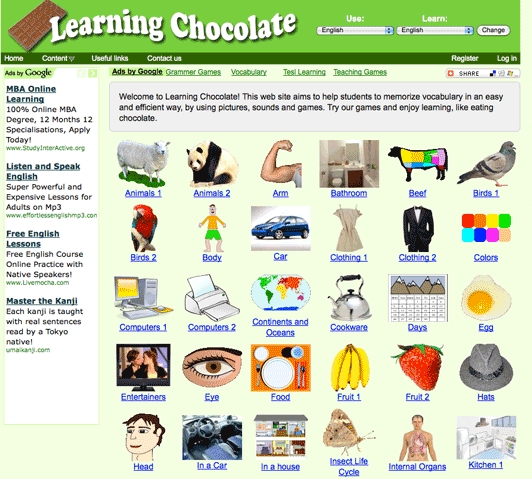
Learning Chocolate… I wonder why they’ve chosen this name for a website that helps students improve vocabulary but it certainly does so and in a very efficient way.
There are lots of vocabulary categories to choose from ranging from the easy  Numbers or the Seasons to the more sophisticated Insect Life Cycle.

How do you learn with this page?

Choose a category and begin to learn by choosing from five different activities. Every exercise is taught and revised with the help of pronunciation: for example , in some games you have to match the audio to the word or the words to the pictures and you can also do  a ” fill in the gaps” exercise or a dictation.

What I specially like about this site is that it uses visual aid to help students learn better and faster and at the same time  teaches them how to pronounce  .

So,  I was going to point out that working  with Learning with chocolate  you kill two birds with the same stone but noooo…. you kill four birds … ’cause you can learn Chinese  Mandarin or Japanese too. As always , the choice is yours!

Blog de Cristina is also on Facebook . Follow me!

Free Audio Books

When I am in the gym trying to sweat my kilos away I’ve sometimes considered not listening to music and  instead ,making a better use of the time I spend there. Today I’ve bumped into this page and I have thought :” That’s what I was looking for!” So instead of running with Lady Gaga I’m going to start running with Jane Austen, Mark Twain or Virginia Wolf.
In Books Should Be Free you can find a lot of free audio books divided according to their genre: adventure, comedy, romance, fairy tales, poetry…etc and you can download them in mp3,iPod or iTunes format . Now, you have no excuse for not practising English, even when you’re at the gym!!

Writing can be fun

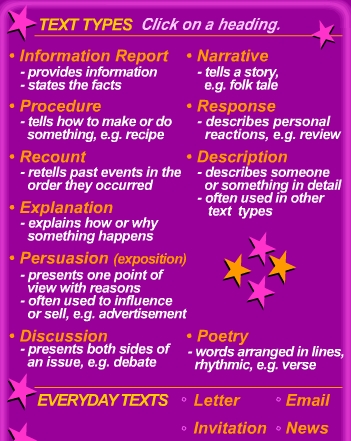
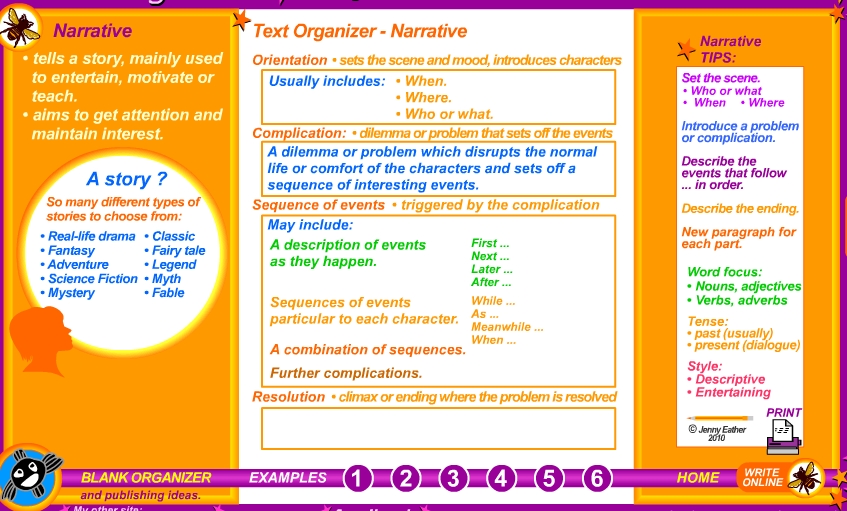
And this is another superb site I strongly recommend. There are lots of sites that help you improve your listening skills but Writing Fun by Jenny Eather is one of the few sites I have seen that really helps you improve Writing. Poor writing skills is an issue almost everyone tries hard to overcome but we find it really hard because we never seem to have enough time to go through all the steps that good writing requires and that’s where Writing Fun helps you. Let’s see how to use it

♥Choose the type of text you want to write:narrative, description, persuasion, letters,emails,invitations…

♥Read the different examples mousing over the tips on the right to see the examples

♥Print it  or

♥Write online with the help of the text organiser.

Isn’t it just great!!