Wouldn’t it be interesting to read a bit about how Easter is celebrated in the USA? Elisabeth Knittel , our language assistant , has written this interesting article about Easter in the USA. Thank you Liz!
In the United States Easter is celebrated in the spring months of March or April. It is a time of church services, family gatherings, eggs, bunnies and lots of fun. Families make the most of the opportunity to spend time together and perhaps spend time outdoors to welcome spring. Easter is a celebration of religious significance with many Americans attending church on Easter Sunday; others only celebrate with the non religious traditions.
Chocolate bunnies and eggs of all sizes in colorful foil wrappings are a 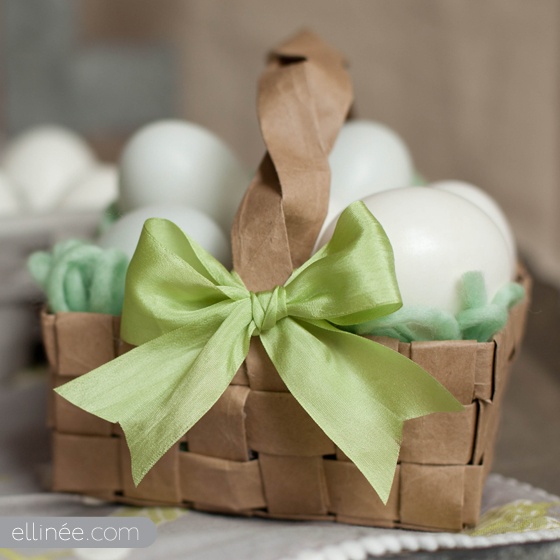 favorite part of Easter in the US. Early on Easter Sunday morning, while the children are sleeping the Easter Bunny delivers Easter baskets. Each child receives an Easter basket filled with chocolate treats usually in the form of bunnies, chicks, and eggs. Sometimes children receive small toys, books, or stuffed animals in their Easter baskets. Sometimes the basket is hidden and children need to look for them. Other families have Easter egg hunts where hardboiled eggs, chocolate eggs or plastic eggs filled with chocolates are hidden in the house or garden for excited children to run around and find.
The Easter Bunny is a huge part of Easter in the United States. The Easter Bunny is usually shown as a big, white, rabbit wearing clothes. During Easter time, there are tons of decorations with the Easter Bunny, sometimes breakfasts where children can meet the Easter Bunny and often times you can go to the mall and have your picture taken with him. Another popular tradition is decorating Easter Eggs. Many families boil eggs and use dye to make them beautiful colors. Sometimes people even put designs on them with crayons, stickers, or different colors of dye.
Hot cross buns are also another Easter treat popular with Americans. 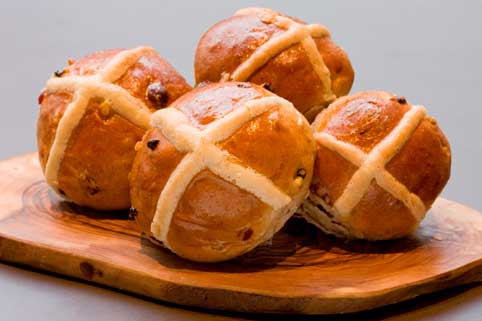 They are sweet, spiced buns made with dried fruit. A cross, (the symbol of Christ) usually made from a mixture of flour and water is put on top of the buns. The buns are traditionally eaten on Good Friday and taste best hot with plenty of butter.
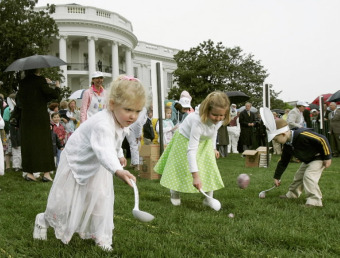
Easter is also a time of various events with the most well known held on the White House lawn in Washington DC. The President and his family host the Easter Egg Roll on Easter Monday (the day after Easter.) This is a game where kids have to race use a spoon to move an egg from one point to another. Many celebrities are invited to the event. Many singers give concerts and actors as well as the President himself read stories to the kids.