Category Archives: Resources

Newsy- the video news you can easily understand

I just can’t wait to share this amazing site with you. It’s so very much what any teacher teaching advanced levels has ever wished for. It not only presents the world’s news coverage through two or three minute video segments but it also gives you the transcript. Wow! Amazing …! no more playing and replaying to get the transcript for the piece of news you want to bring to your classes and definitely,a chance also to improve pronunciation by reading the news at the same time as the presenter.

http://www.newsy.com/

Now, watch this video about Lady Gaga  getting 13 awards at the VMAs. The video you can see here is embedded so you won’t be able to see the transcript. To see it, click here http://www.newsy.com/videos/lady-gaga-dominates-vmas/. Ready? Enjoy!!!

Word of the Day: Optimization

To optimize is to make as perfect, effective, or functional as possible,to make the best of anything.

And this is precisely what this little tool does for your computer to keep it in good shape. It’s called  CCleaner and it might be  one of the best cleaning systems you can find for free.

Its main purpose is to clean any unnecessary files from your hard-drive and on opening the program you can see the various aspects of Windows that you can search through and clear. CCleaner will also detect your installed applications that may hold on to files which are no longer any use, such as Google Earth histories or Flash Player configurations and it’ll allow Windows to run faster while freeing up valuable hard disk space.

There’s even a portable version you can carry around .

Merriam-Webster: online word games

Now that you are on holidays and with plenty of time to spare , do you fancy playing some word games? There are

tons of them in the Merriam-Webster word games ,  from spelling games  to word Sudokus , but my favourite is Scrabble.  Have you ever played this game? I’m sure you have in Spanish, so why don’t you give it a go now in English? It’s highly entertaining  and it’ll help you not to forget English.

Towards the oral exam

The oral exam is just round the corner and I thought it might be a good idea to have a look at some of the posts I have published that can help you revise , improve or practise. Remember the more you practise ,the easier you’ll find it and the more fluent you’ll become.

vozMe– This converts text into speech. You can type any word and even a text ( use the copy and paste option 😉  ) and then choose a male or a female voice.( If you want to know my opinion ,  the female voice is clearer). The text will be read to you.
Read the post here

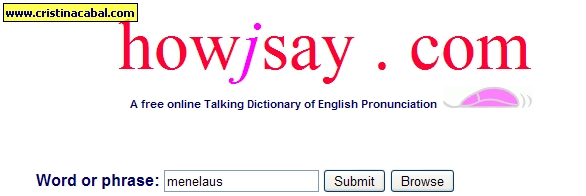
Howjay.com- I just love this dictionary!! You enter the word and you submit it. When it appears in pink , mouse over it to hear it spoken as often as you want. You don’t have to wait a second as it is individually pre-recorded!!
You can translate the word into Spanish or any other language using the Google Translate and then get the definition for the word
Read the post here
Fotobabble– Great to practise picture description. Upload a photo and record yourself describing it. Listen to your own description and work on how to improve it.
Read the post here.

Listen a minute- Want to improve pronunciation and intonation? Dedicate one minute to listening and reading along .
Read the post here

Role-plays– a selection of role-plays for the elementary level aimed at the oral exam.
Click on the photo and it’ll take you there!

Related posts:

You’ll never forget how to pronounce “would”

Some help with the Speaking Test … or not?

False friends: embarrassed or embarazada?

Monty Python :Silly Job Interview

Talking Photos: Fotobabble

What a great tool this is!!

The Certificación exam is  just around the corner and bumping into this little tool right now got me thinking whether some things  happen by sheer chance or by  some divine intervention. Choose the one you feel most comfortable with .

Now, as you know , in the oral part of the exam you’ll be asked to describe  a/some picture(s)  in three minutes. Well, here’s a good tool to help you rehearse for this part of the exam. It’s called Fotobabble and it looks promising.

This is what you have to do to use this app:

  • First, sign up. Don’t worry it’s free and it only takes a few seconds.
  • Upload a photo from your computer.
  • Record your voice using a microphone
  • Listen to your recording.

This is quite OK as far as you are concerned but I’d like to see what you are doing , so why don’t you send me your fotobabbles ? No idea how to do it ? Click on the link below and in  a video and in Spanish I’ll explain it all to you. No excuses now!!

http://www.screencast.com/users/cristinacd/folders/Jing/media/a9ed9e6f-4356-468f-82d9-8c10558a9a8b